Where Stories
Transform your screenplay ideas into professional scripts with AI-powered storyboarding, character design, and real-time collaboration.
Trusted by screenwriters worldwide
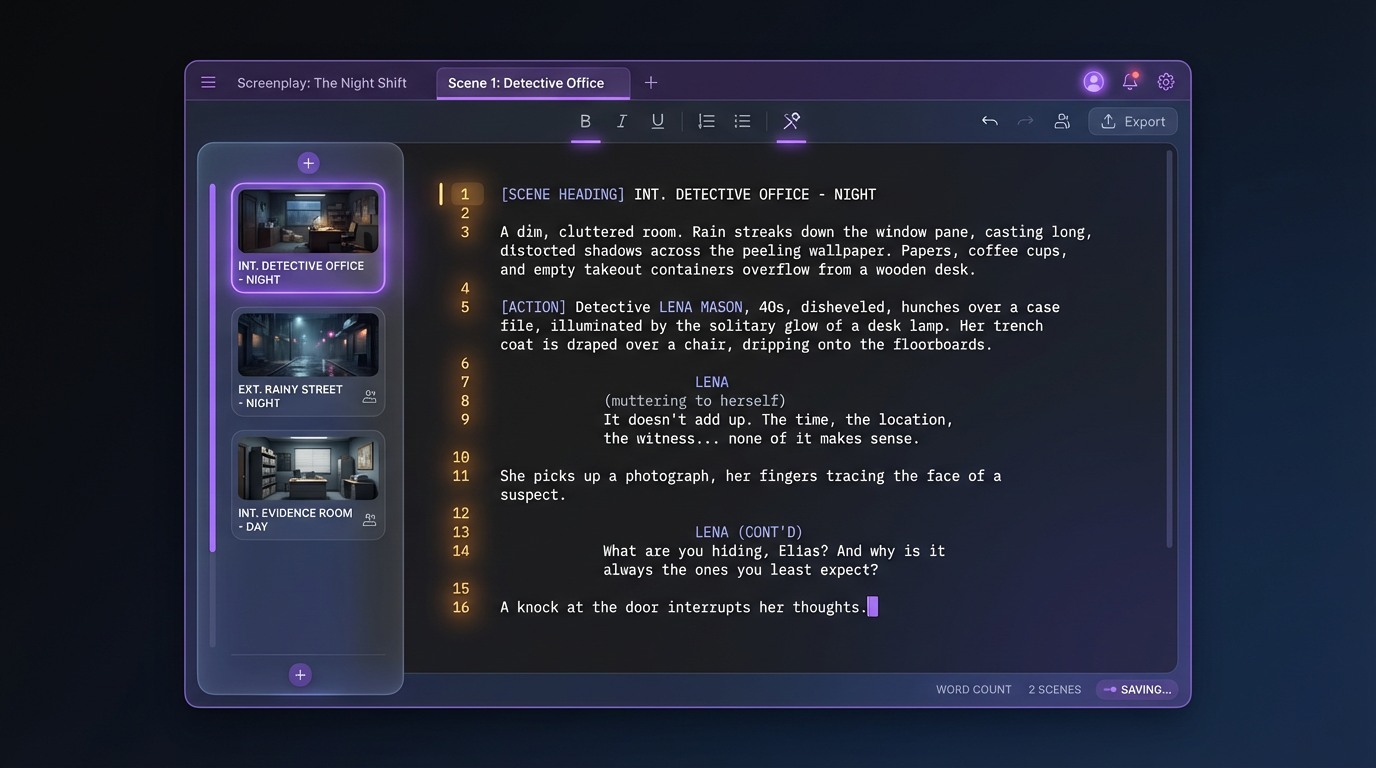
Watch Your Words Come Alive
Write a scene and see it appear in professional screenplay format, line by line.
INT. DETECTIVE OFFICE - NIGHT
Rain hammers against the window. MARCUS sits alone, a case file spread across his desk. A single desk lamp casts long shadows.
MARCUS
Every clue leads back to the same place... the lighthouse.
He stands, grabs his coat. The phone RINGS. He hesitates, then walks out into the storm.
CUT TO:
From Sketch to Cinematic HD
Choose how your storyboards look. Quick sketches for brainstorming, cinematic renders for pitching.
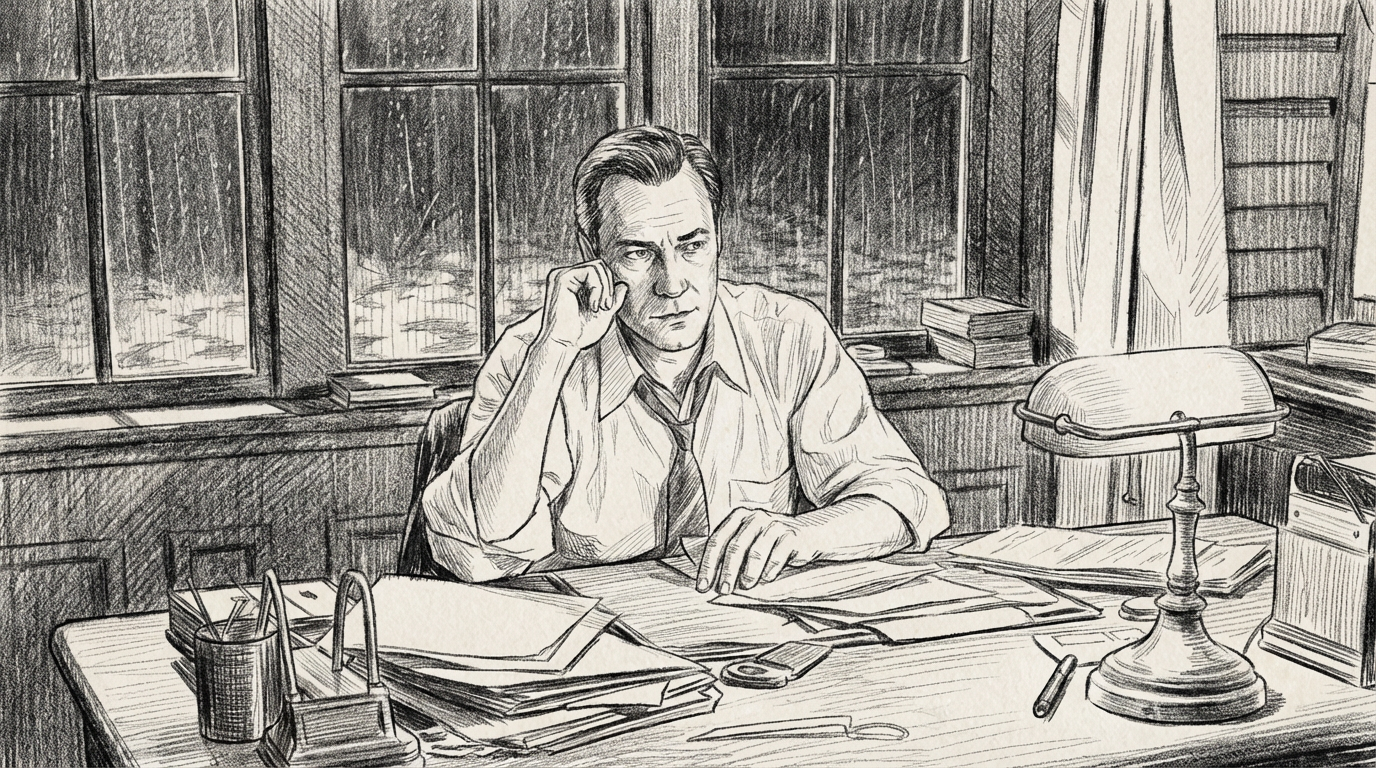
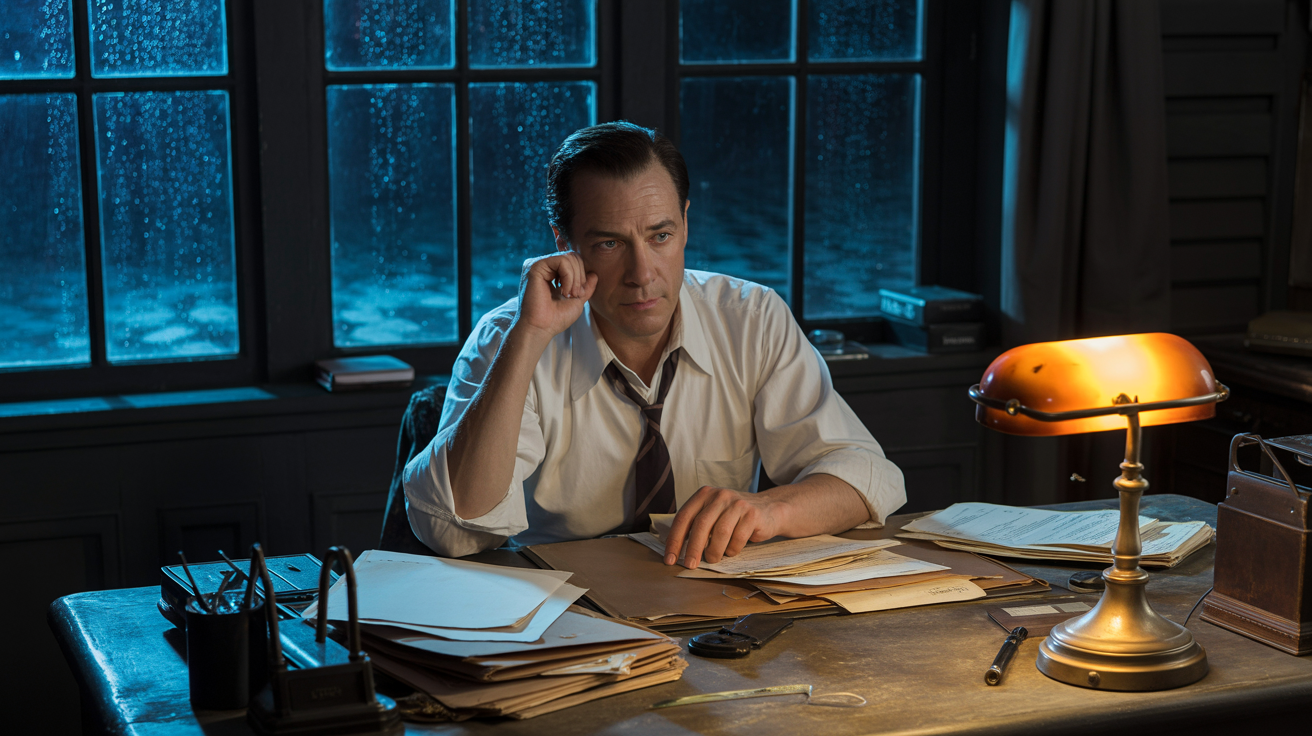
Sketch
Hand-drawn storyboard style
From Script to Screen
Write a scene, build your location library, generate storyboards, and preview motion — all powered by AI.
Write Your Scene
Start with your screenplay. Professional formatting, AI-powered expansion, and real-time collaboration.
EXT. LIGHTHOUSE - NIGHT
Rain hammers the rocky cliff. The old lighthouse stands sentinel against the storm, its beam sweeping through sheets of rain. A figure emerges from the darkness below.
MARCUS
(to himself, rain dripping from his coat)
Every clue leads back here... time to find out why.

Old Lighthouse
Exterior • Night • Stormy
Build Your Locations
Generate stunning location previews from your descriptions and reference images. Build a visual library of every setting in your screenplay.
Location Description:
"An old weathered lighthouse on a rocky cliff. Storm clouds gather, waves crash below. The beacon light pierces through rain and fog."
Generate Storyboards
Turn scenes into visual storyboard frames. Choose shot types, camera angles, and styles. Perfect for pre-production and pitching.
Click a shot type to see it change:

Scene 12 • Shot 1
Close-up • Low Angle • Sketch
Preview in Motion
Bring your storyboards to life with AI-generated motion previews. See how your scenes will flow before you shoot a single frame.
Validate pacing and shot flow before production.
No credit card required
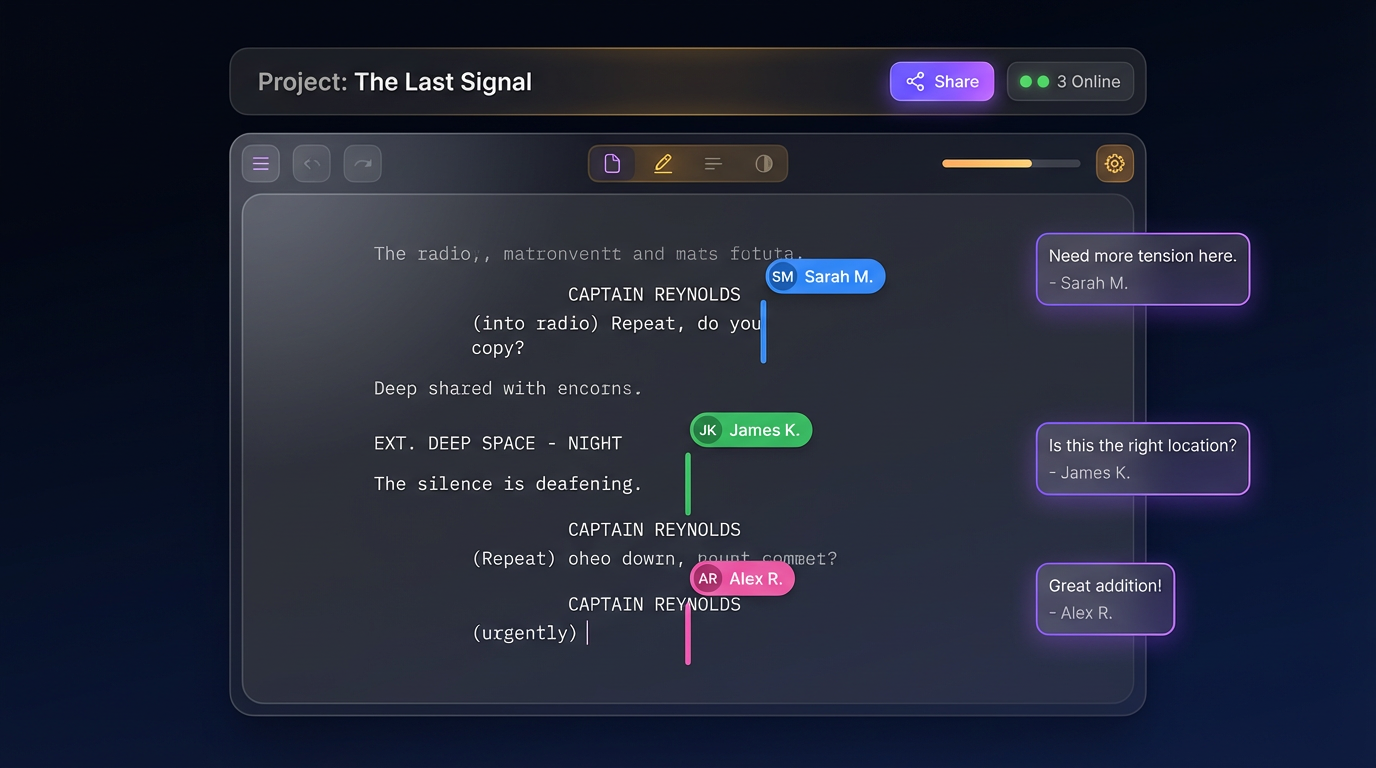
Write Together,
Not Apart
See your team editing scenes in real time. Leave comments, tag collaborators, and lock scenes to avoid conflicts. The writing room, reimagined.
Live Presence
See who's editing which scene in real time
Inline Comments
@mention teammates for instant feedback
Scene Locking
Prevent edit conflicts with one-click locks
Bring Every Character to Life
Build rich character profiles with AI-generated portraits, personality traits, and backstories. Scroll through your cast like a director's lookbook.

Marcus Cole
Age: 38
A seasoned detective whose obsession with unsolved cases has cost him everything — except his instinct. The lighthouse case is personal.
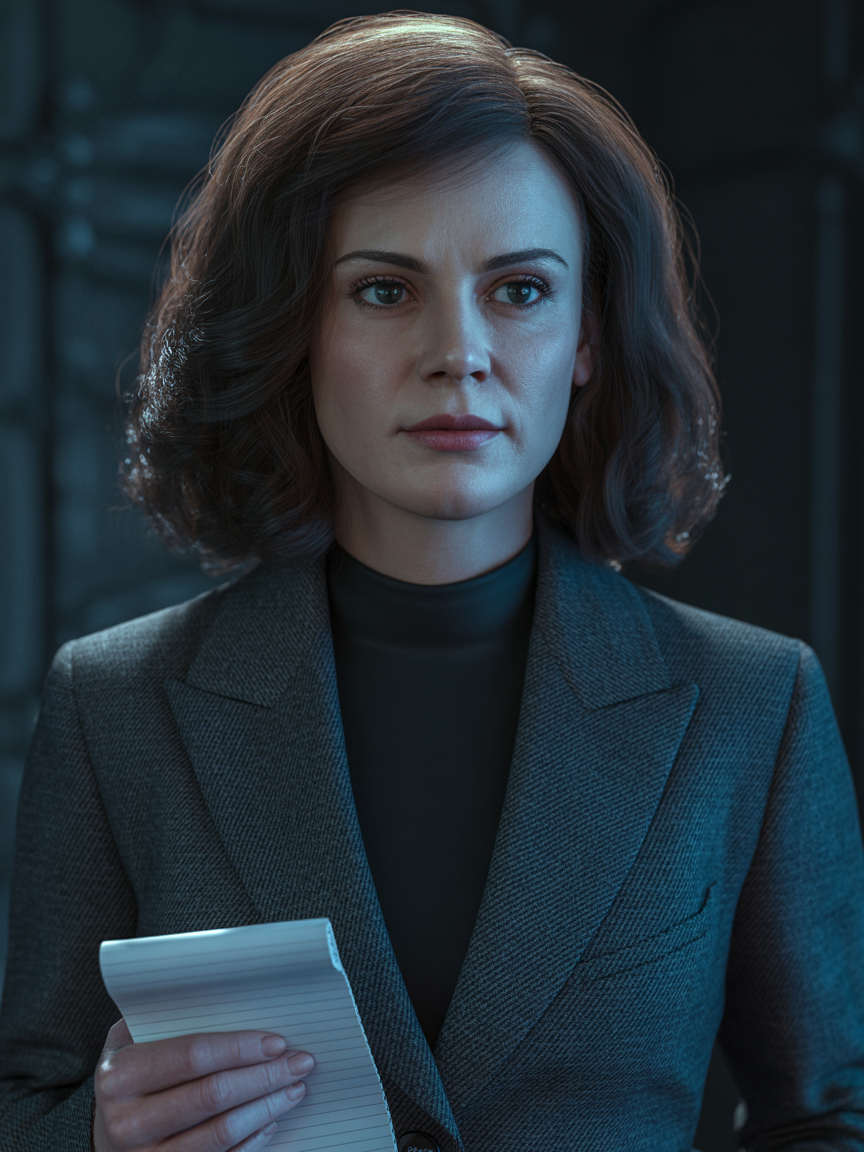
Elena Vasquez
Age: 31
A journalist who stumbled onto the lighthouse mystery while chasing another story. She knows more than she lets on.

Victor Hale
Age: 54
A powerful figure with deep ties to the town’s history. Behind his polished exterior lies a man who will do anything to keep his secrets buried.

Sarah Whitmore
Age: 26
The last person connected to the lighthouse’s dark past. She holds the key to everything — if Marcus can earn her trust.
EXT. LIGHTHOUSE CLIFF - NIGHT
The storm intensifies. #Marcus reaches the lighthouse entrance, coat whipping in the wind.
#Elena appears behind him, notepad clutched to her chest.
MARCUS
You shouldn't be here.
ELENA
Neither should you. But here we are.
A shadow moves inside. #Victor watches from the window above.
#Tag Characters, See Them
Instantly
Type # followed by a character name and watch them highlight in their unique color throughout your script. Instantly know who appears in every scene.
Unique Color Coding
Each character gets their own color — spot them at a glance across your entire screenplay
Per-Setting Adjustments
Customize each character's appearance per location — different wardrobe, mood, or time of day
AI Aware
Tagged characters inform AI storyboard generation — the right face in every frame
Every Keystroke,
Automatically Saved
The moment you type, Scriptly saves. End-to-end encryption protects your work, and cloud sync means your screenplay is always accessible — from any device, anywhere.
Instant Auto-Save
Every change is saved within seconds — no manual saving, no lost work, ever
Cloud Sync
Connect to Google Drive, Dropbox, or iCloud — your screenplay, backed up everywhere
Local Backup
Automated local exports keep an offline copy on your device — belt and suspenders
End-to-End Encryption
Your screenplay is encrypted at rest and in transit — your story stays yours
Scriptly Cloud
● Synced
Google Drive
● Connected
Dropbox
● Connected
iCloud
Connect
Local Backup
● Enabled
Everything You Need to Create
Professional tools for every step of your screenplay journey.
Professional Formatting
Industry-standard screenplay format with scene headings, action, dialogue, and transitions.
AI Storyboards
Generate visual storyboard frames from your scenes. Choose shot types, camera angles, and styles.
Real-Time Collaboration
Invite your team. Write together with live cursors, comments, and presence indicators.
Character & Location AI
Generate visual previews of your characters and locations from descriptions.
AI Expand & Describe
Let AI expand short notes into vivid action lines and detailed descriptions.
Scene Management
Organize scenes with drag-and-drop, lock editing, and track changes across your team.
Frequently Asked Questions
Q:Is my screenplay data private and secure?
Absolutely. Your screenplays are encrypted and stored securely. We never share your content with third parties or use it for AI training.
Q:Can I collaborate with my writing team?
Yes. Our Team and Studio plans support multiple collaborators who can write, comment, and review scripts in real-time.
Q:What formats can I export my screenplay in?
Export to industry-standard PDF, Final Draft (.fdx), Fountain, and plain text formats.
Q:Do I own the content I create?
Yes. You retain 100% ownership of your screenplay and all visual assets generated within Scriptly Studio. Your work is yours — we just help you create it.
Ready to Write Your
Masterpiece?
Join thousands of screenwriters already using Scriptly Studio to bring their stories to life.
Start Writing FreeNo credit card required